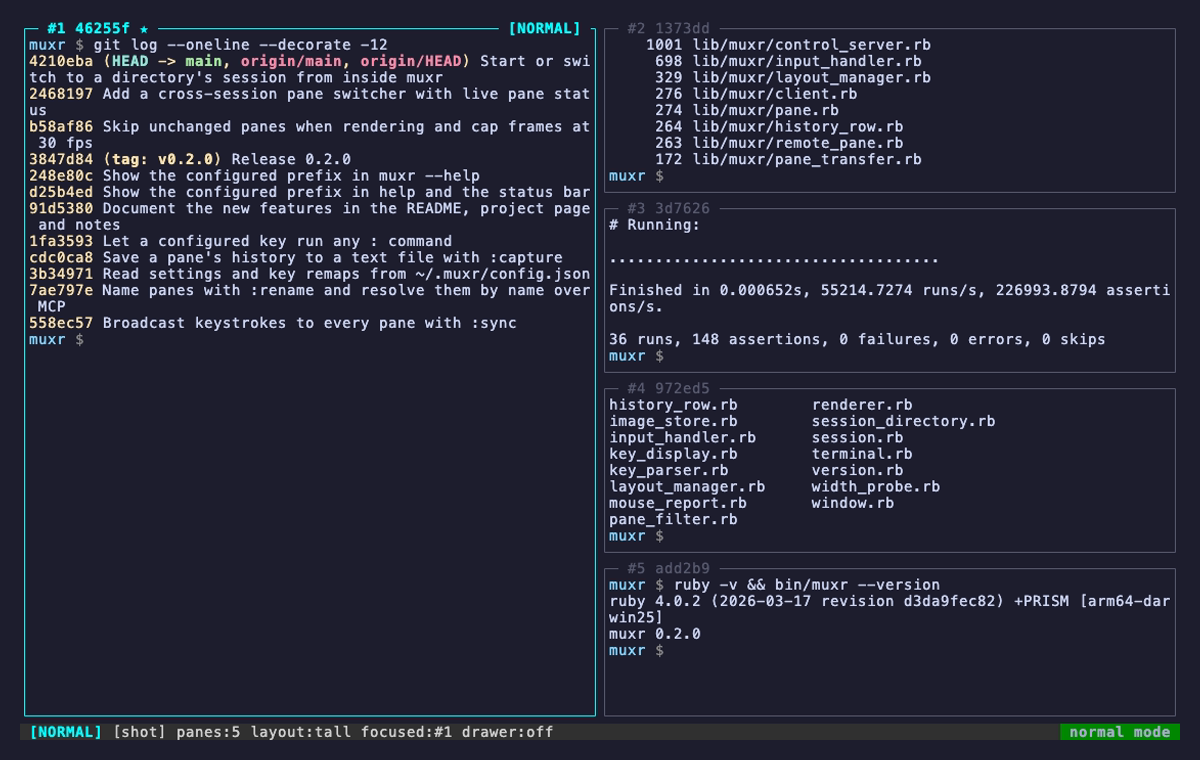
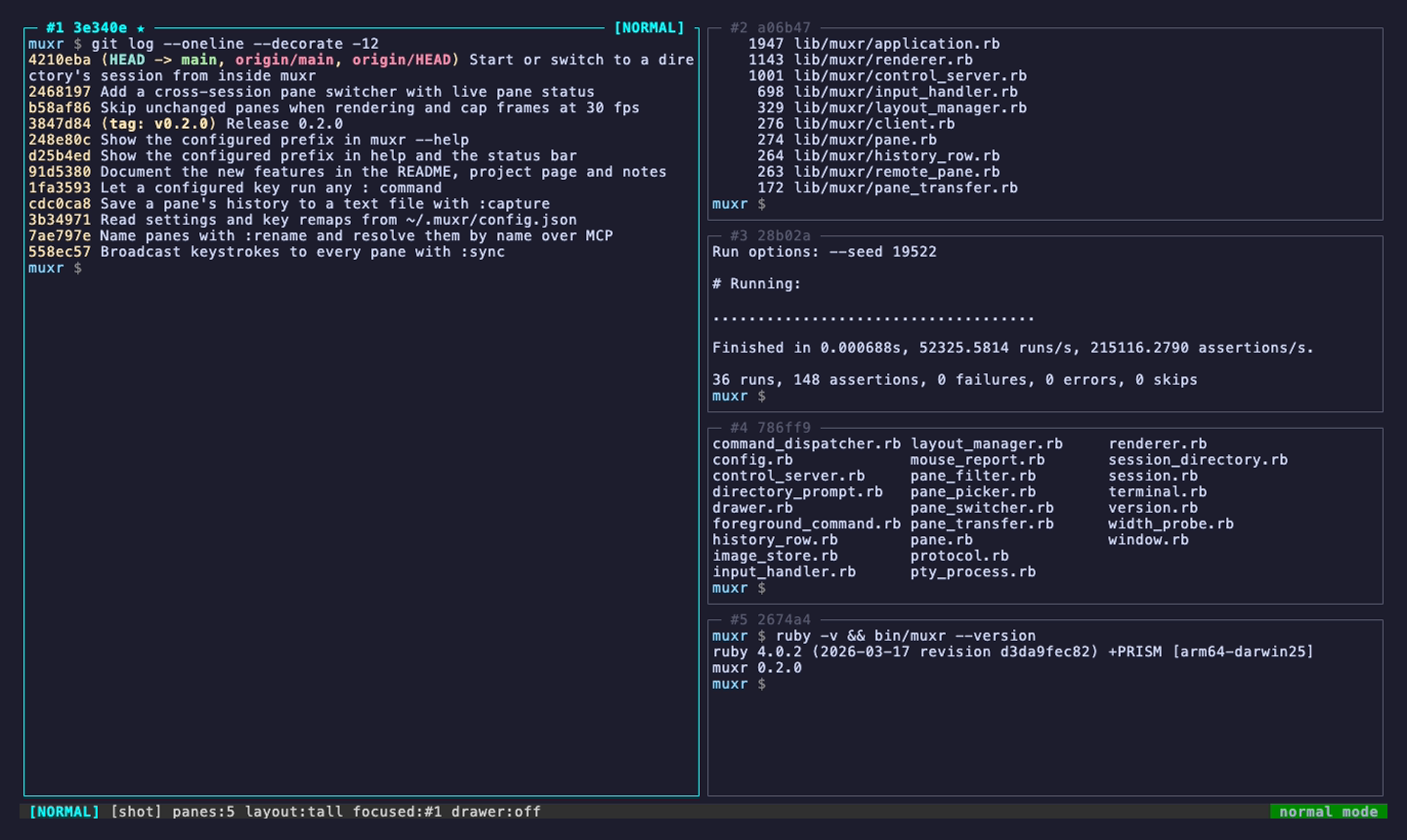
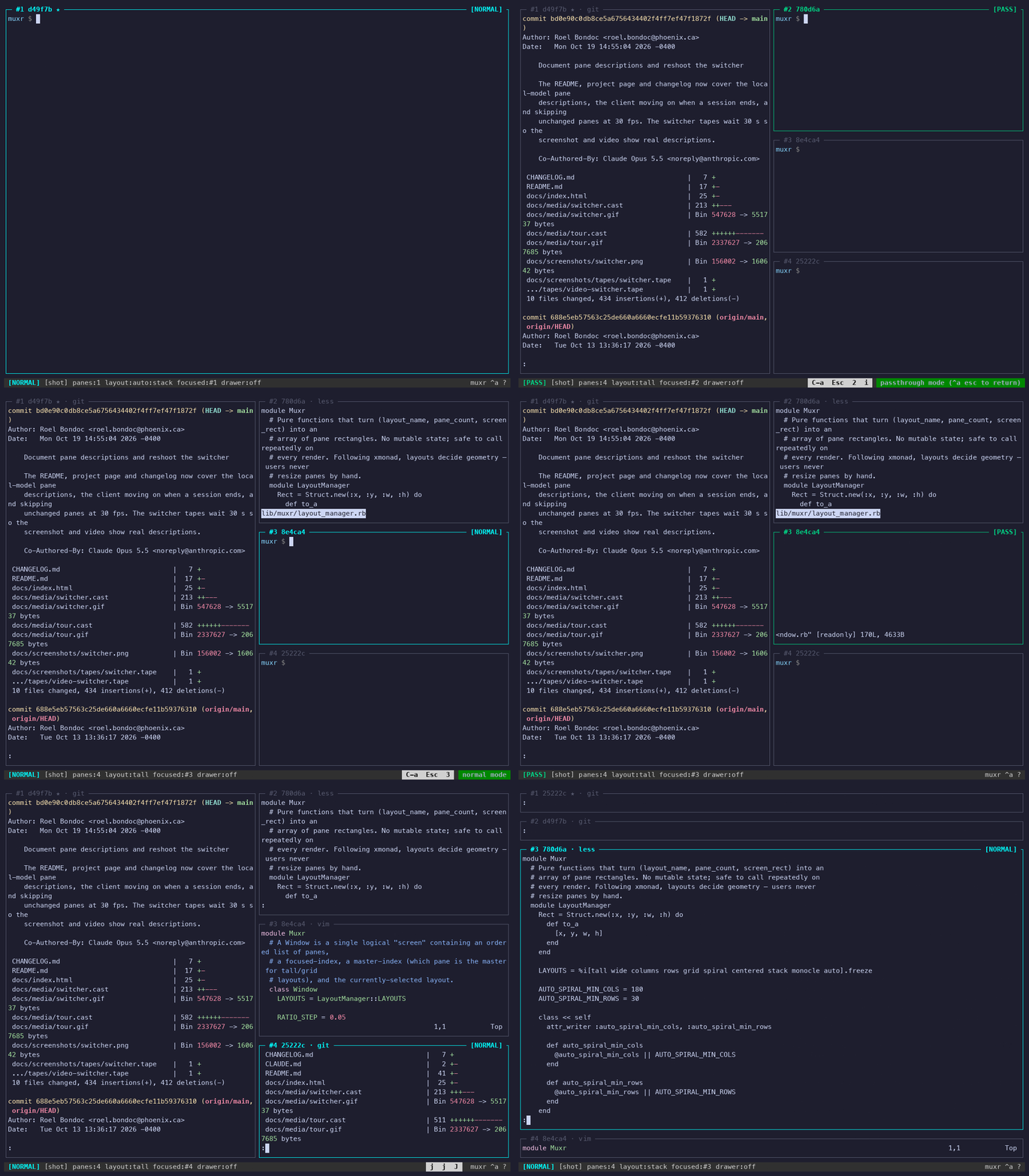
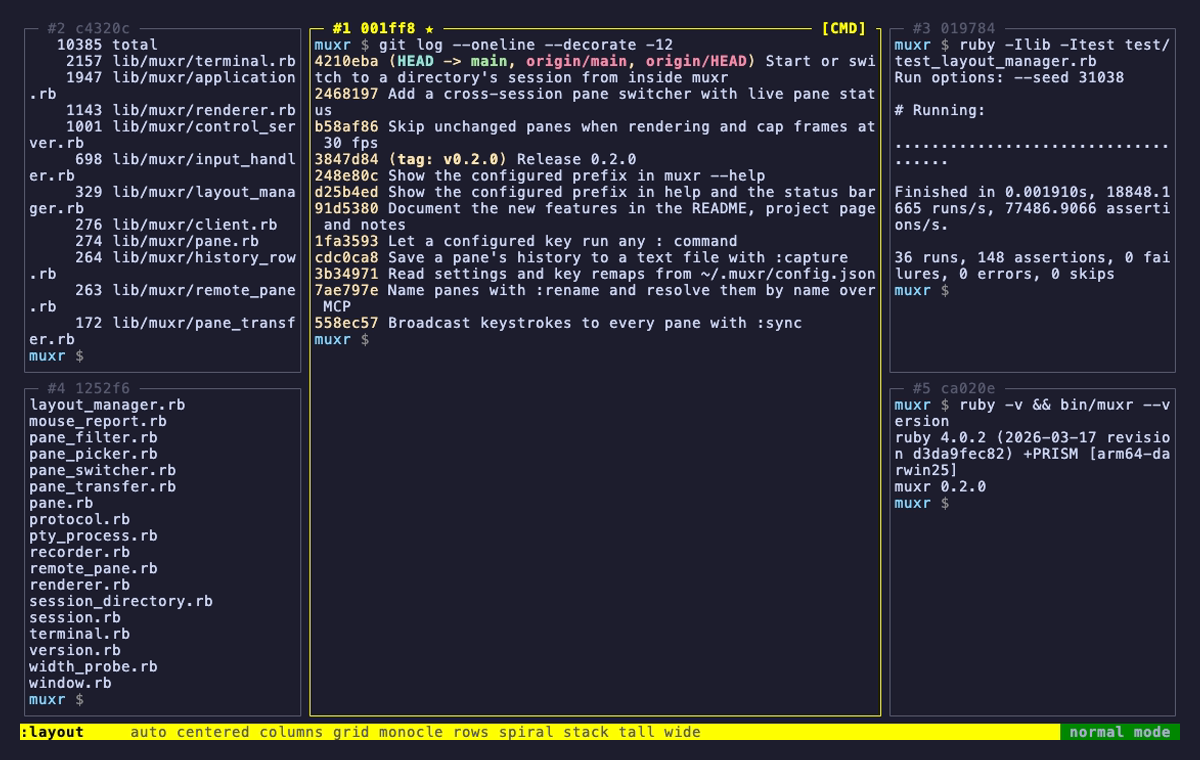
A keyboard-driven terminal multiplexer written in pure Ruby. GNU Screen's
keybindings, xmonad's automatic tiling, and a Quake-style overlay drawer —
in about eleven thousand lines of stdlib, with no runtime gems at all.
A layout in muxr is a pure function of (name, pane count, screen area).
There is no saved per-pane geometry to drift out of sync, so opening, closing,
or promoting a pane just recomputes the tiling on the next frame — and a
detach onto a different-sized terminal simply re-tiles.
The playground below runs muxr's real layout code.
[NORMAL]muxr ^a ?
Layout
Panes & focus
Screen
Click a key, or just type it — this page listens for the same
bindings muxr does. hjkl
moves focus spatially, exactly as muxr's neighbour lookup does.
<> size the master area and ,. change how many panes share it, in tall,
wide and centered. z zooms the focused
pane and puts the layout back on the second press.
Screen resizes the simulated terminal. F —
auto, the layout new sessions start in — is the one that
reads it: spiral once the pane area is 180×30 or more, stack below.
tallthe real thing · 5 panes
tall — master on the left, everything else stacked down the right. The workhorse.
the screen
Everything you need to know, in the border.
Each pane's title carries a positional slot (#1) and a stable six-hex
id (a3f9b2) minted once and kept for life — through layout changes,
detach and reattach, a move to another session, and a cold restart from disk.
Give a pane a name with :rename api and the title says
#1 api instead. ★ marks the layout master;
· npm test appears when something other than the shell holds
the foreground; #2!, #2~ and #2• mean the
pane wants you.
muxrworktall · 5 panes
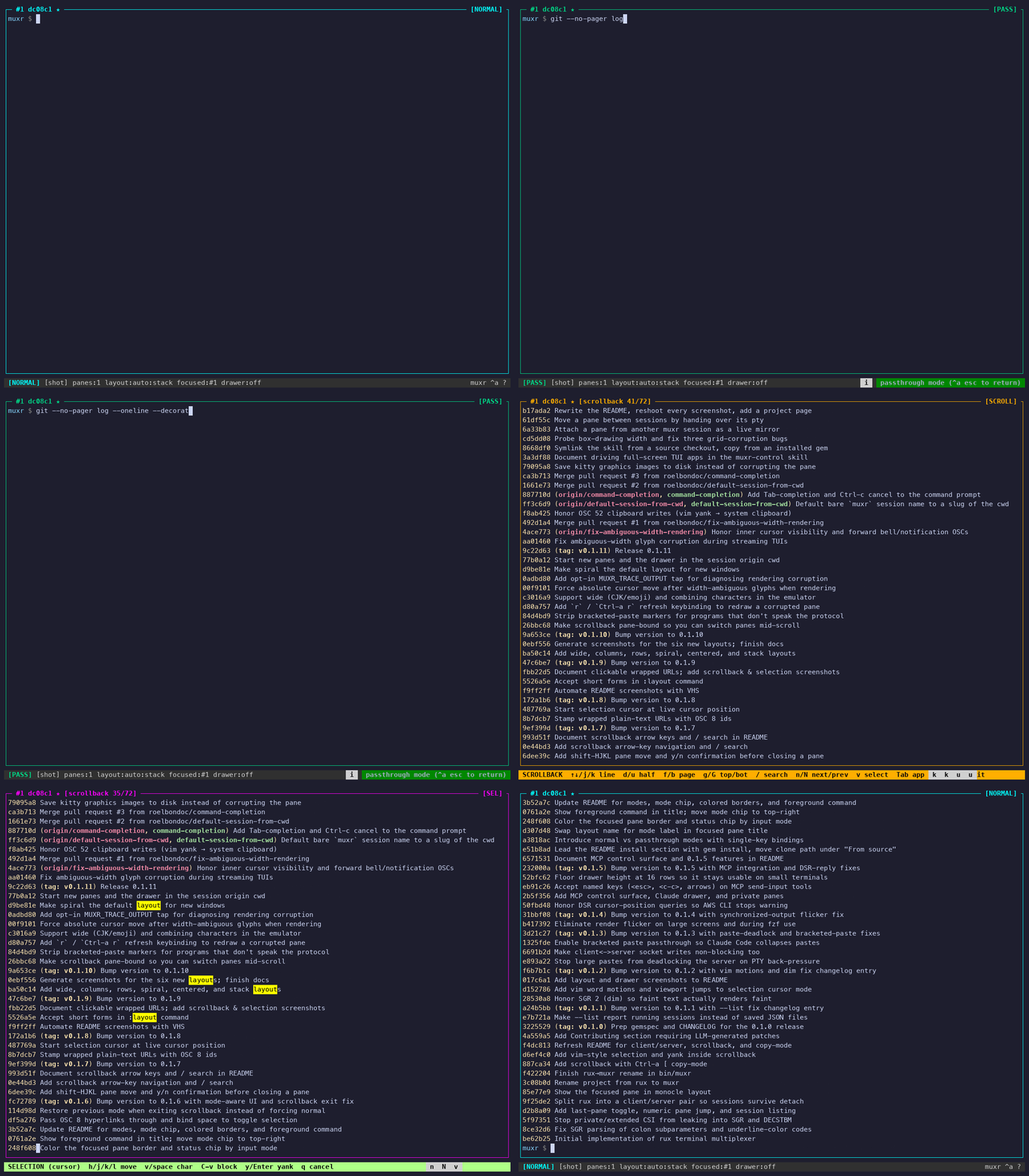
The [MODE] chip and the focused border track your input mode — cyan normal,
green passthrough, orange scrollback, magenta selection, yellow command prompt,
red confirmation, blue for help and the pickers.
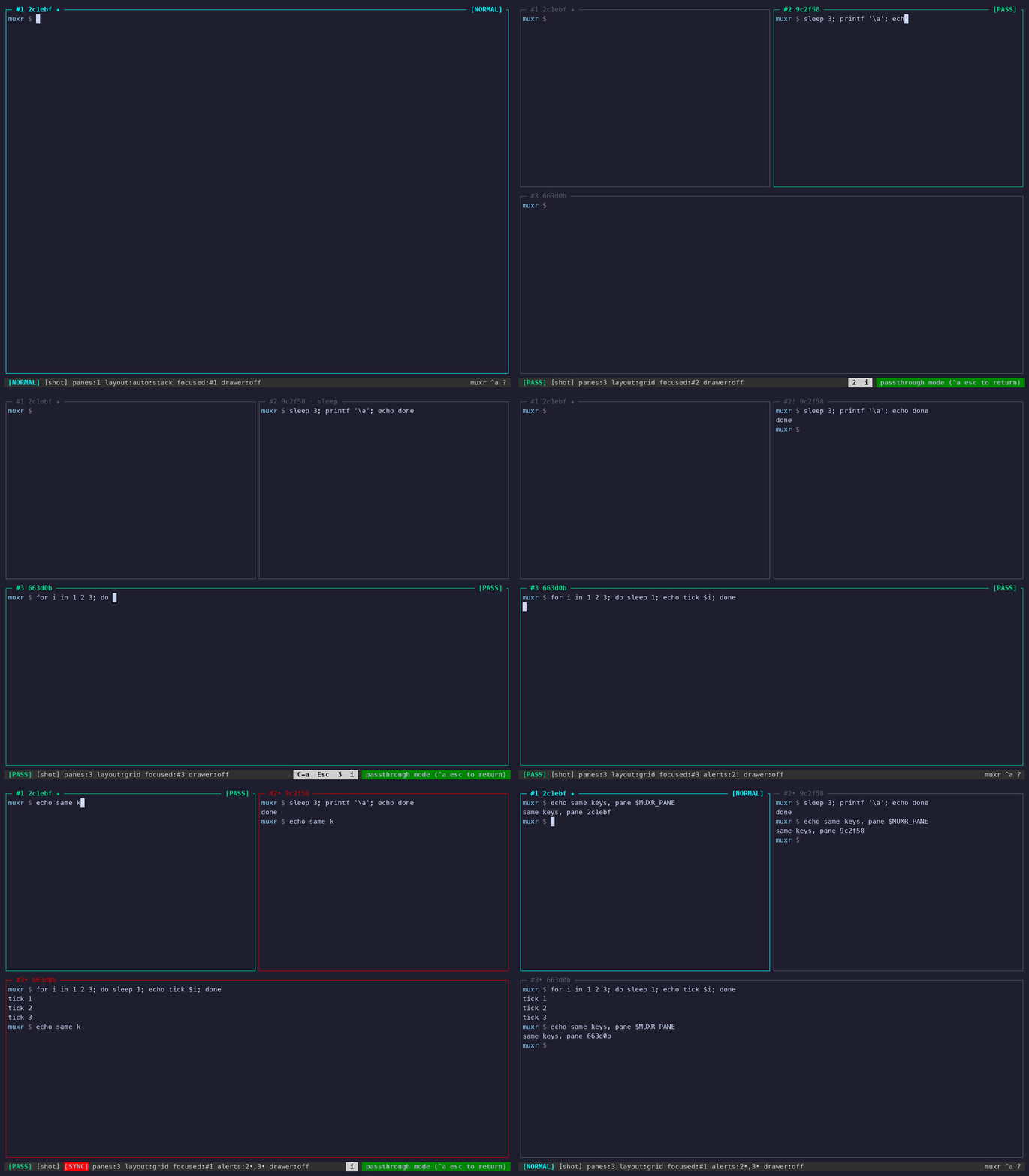
tourrecorded with muxr --record
Forty seconds of real keystrokes. The chip at the bottom right is :showkeys, which prints each key as it is pressed.
two modes
Modal, like vim. Prefixed, like Screen.
Normal mode is where muxr starts: single keys drive the
multiplexer, no chord required. Press i and you're in
passthrough — every keystroke reaches the shell, and muxr's own
commands move behind the historical Ctrl-a prefix. If your fingers
already know Screen, nothing has been taken away.
Normal mode — no prefix
hjkl
focus pane left / down / up / right, spatially
HJKL
drag the focused pane in that direction
i
drop into passthrough mode
cx
new pane / close pane (asks y/n)
twgm
tall / wide / grid / monocle
|-feS
columns / rows / spiral / centered / stack
F
auto — spiral on a roomy screen, stack below it (the default)
TabEnter
cycle layout / promote to master
<>,.
master size / master count
z
zoom the focused pane / put the layout back
a1…9
last pane / jump by number
s]
scrollback / paste the yank buffer
~CP
drawer / Claude drawer / private flag
oN
switch to any pane in any session / start a directory's session
Ar
borrow a pane / force a redraw
:?
command prompt / help
dq
detach / kill session (asks y/n)
Passthrough — Ctrl-a prefix
C-aEsc
back to normal mode
C-acx
new / close pane
C-anpa
next / previous / last pane
C-a1…9
jump by number
C-aTab
cycle layout
C-aEnter
promote to master
C-a<>,.z
master size / count / zoom
C-a[]
scrollback / paste
C-a~CP
drawer / Claude drawer / private
C-aSpaceN
switch to any pane / start a directory's session
C-aAr
borrow a pane / redraw
C-adq
detach / kill session
C-a:?
command prompt / help
C-aC-a
send a literal Ctrl-a through
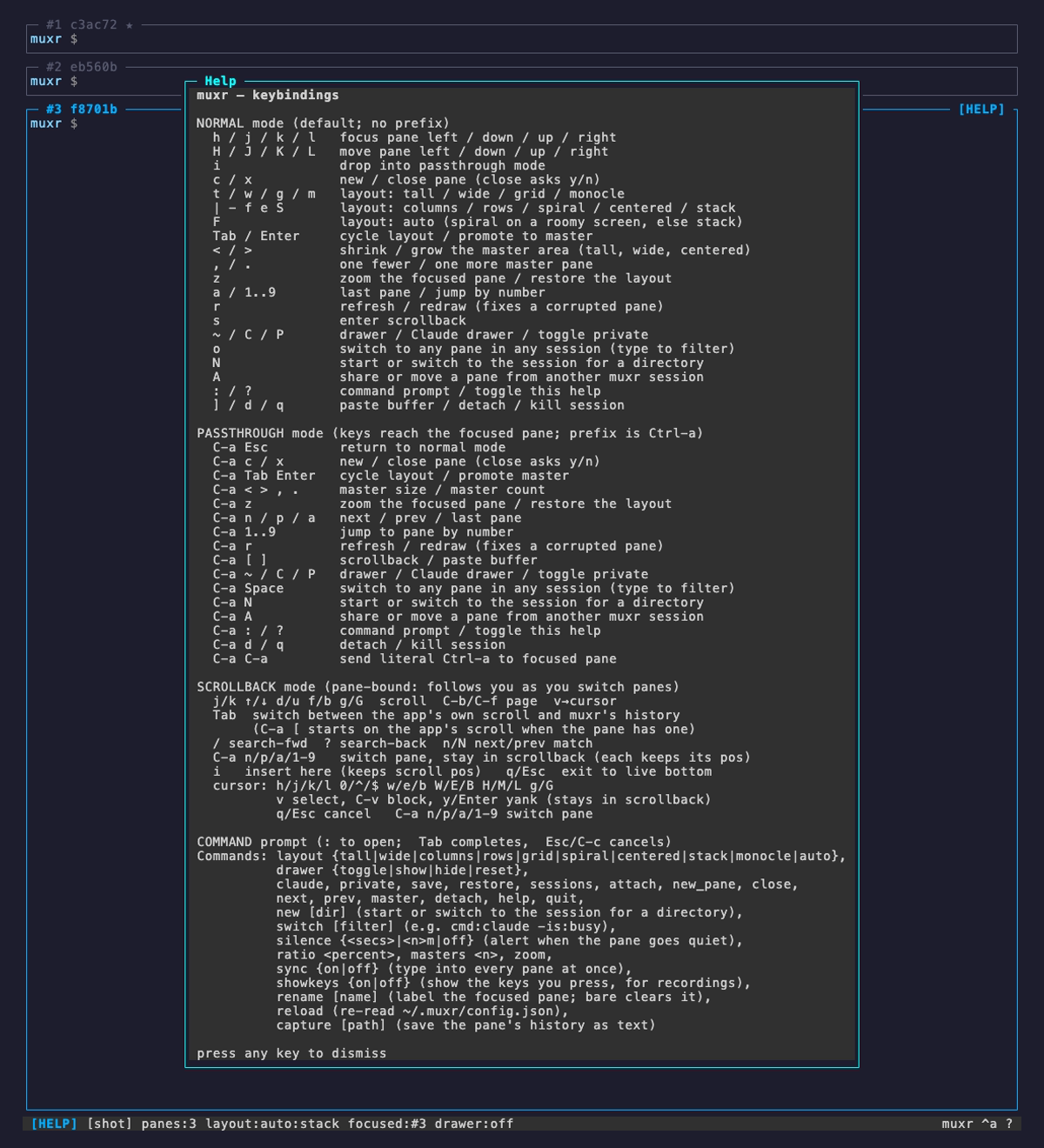
?help overlay
Nothing to memorise up front — ? prints the whole map.
:command prompt
: opens a command line across the status bar with
Tab completion for commands and their arguments. Any unambiguous
prefix works — :layout t is enough; ambiguous ones flash the
candidates rather than guessing.
It is also where the verbs without a key live: :rename,
:silence 30, :sync, :ratio 60,
:masters 2, :capture, :showkeys and :reload —
any of which you can put on a key of your own in the
config file.
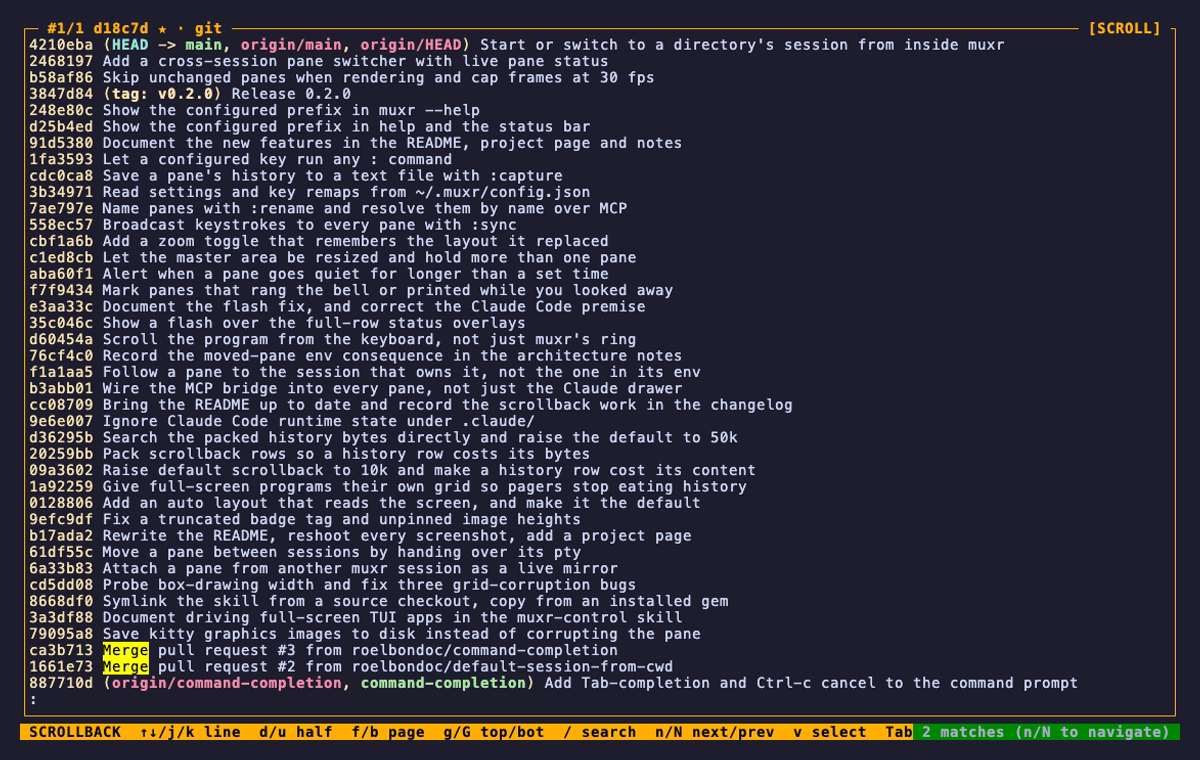
scrollback & copy-mode
Search it, sweep it, yank it.
Every pane keeps a 50 000-row scrollback ring, and a row costs what it printed
rather than the width of the pane. s enters copy-mode
with vi navigation; / searches with smart-case across the ring
and the live grid, centring the match and highlighting every hit.
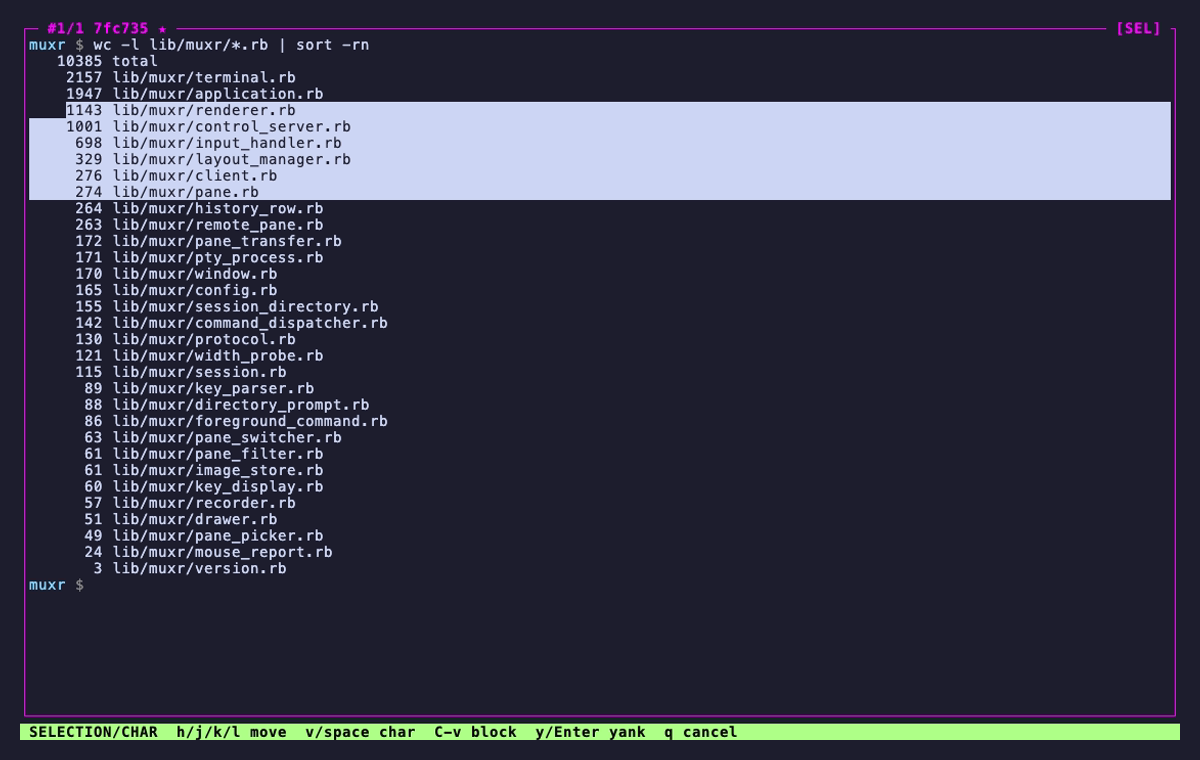
v gives you a movable cursor with real vim motions —
w e b, 0 ^ $, H M L — plus
Ctrl-v for rectangular blocks. y yanks to muxr's
buffer and the system clipboard. Scrollback is
pane-bound, not modal: switch panes while you're in it and
each one remembers where you were reading.
When a screenful at a time isn't enough, :capture writes the
whole history out as plain text — no escape codes, wide glyphs intact — to
~/.muxr/captures/ or wherever you name.
/search
Smart-case, wrapping, and centred on the match — across the ring and the live grid at once.
vselection
A movable cursor with vim motions; Ctrl-v switches to a rectangular block.
s / v yscroll, search, select, yank
! ~ • attention
It tells you which pane wants you.
Five agents, a build and a log tail, and a bell rings. muxr has always passed
bells and desktop notifications through from every pane. Now it also remembers
which pane it was, marks it in its title and in the status bar,
and forgets as soon as you look at it.
┌─ #1 api ★ · claude ───────┬─ #2! build ──────────┐
│                           │ rang the bell        │
│                           ├─ #3~ deploy ─────────┤
│                           │ quiet for 30s        │
│                           ├─ #4• logs ───────────┤
│                           │ new output           │
└───────────────────────────┴──────────────────────┘
 [NORMAL] [work] panes:4 layout:tall alerts:2!,3~,4•
! the pane rang the bell or sent an OSC 9 / 777 notification.
• the pane printed while you were looking elsewhere. Prompt redraws caused by a re-tile are ignored.
~ the pane went quiet for longer than :silence 30 allows — for the job that tells you it is done by stopping.
:silence 30
Arms a monitor on the focused pane. Once it has printed nothing for that
long, muxr flashes pane #3 silent for 30s, rings your terminal's
bell, and marks it ~. It fires once per quiet spell, takes
30s or 2m, and is saved with the session.
:sync
Broadcasts what you type, and what you paste, to every pane in the
window — the same command on six hosts in one keystroke. A red
[SYNC] chip and red borders stay up for as long as it is on, the
drawer is never included, and it is never saved with the session.
:rename api
Names the focused pane, in its title and over MCP: an agent can be told to
run the tests in api, and a name two panes share is refused rather
than guessed.
! • :syncbells, activity, and typing everywhere
A pane rings while you look elsewhere and is marked #2!; another prints and is marked #3•. Then :sync sends one command to all three.
~ the drawer
A shell that drops in from nowhere.
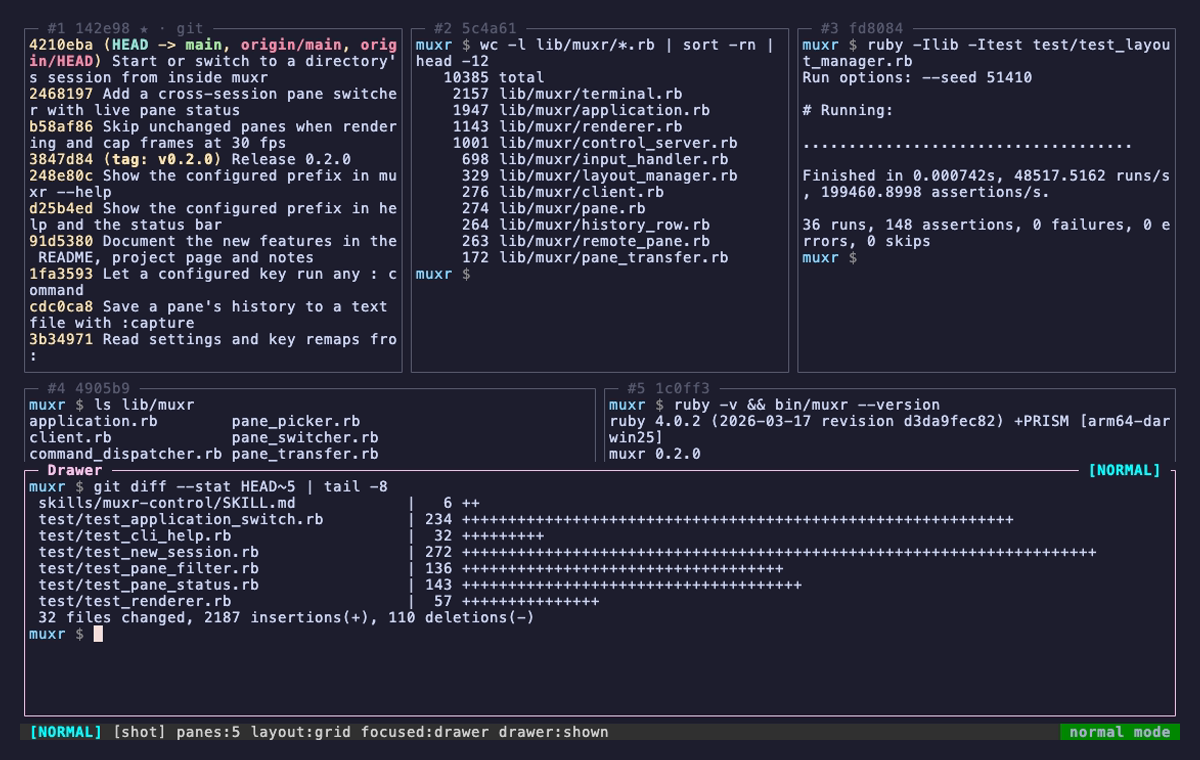
~ slides a persistent overlay shell over the bottom of the layout,
just above the status bar — the terminal equivalent of a Quake console. It's the right home for the command
you keep needing but don't want to spend a pane on.
Hiding it never kills its PTY. The shell keeps running, so the
next toggle brings back exactly what was on screen, scrollback and all. Only
:drawer reset respawns it.
draweroverlay shell
o N every session
One terminal tab for every session.
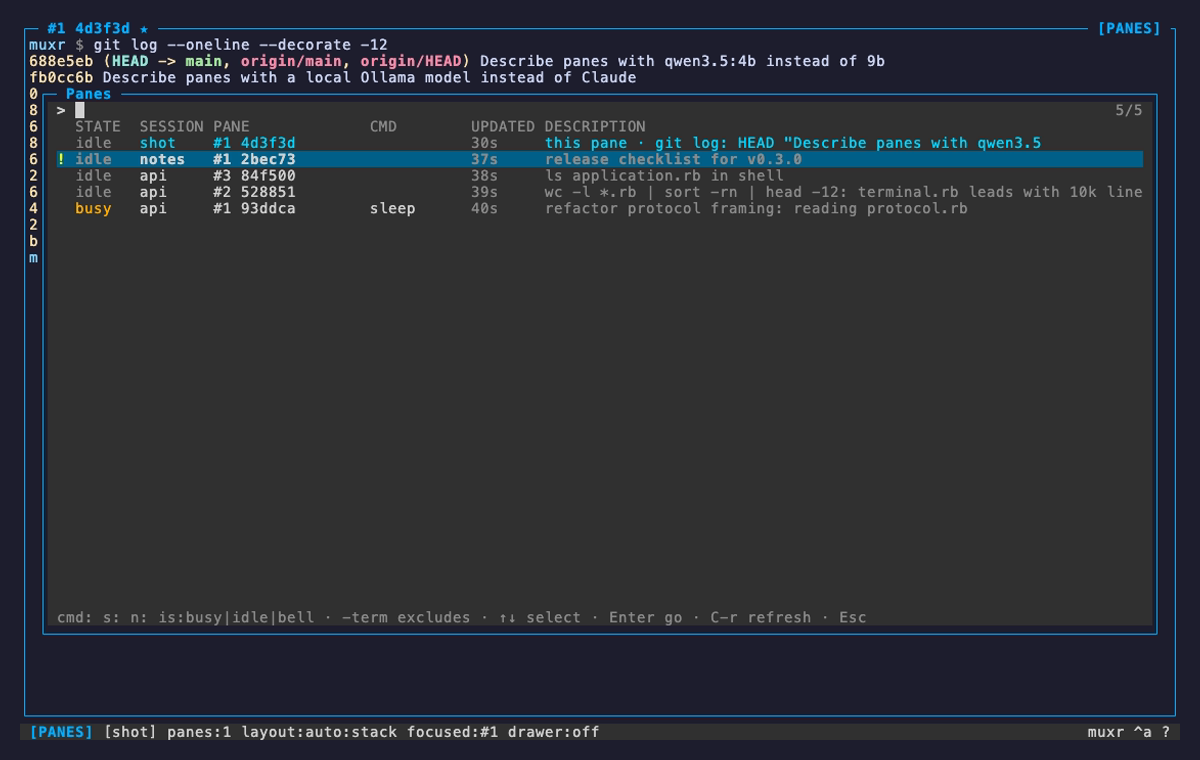
o lists every pane of every running session, most recently
updated first, with what muxr knows about it: busy while the
program reports progress, active or idle by output age,
the attention marks, the foreground command, and a one-line description.
Enter moves this terminal's client to that session and focuses the
pane. The session you left keeps running.
The description is written by qwen3.5:4b on your own
Ollama, every two minutes, for panes whose
screen has changed. Screens never leave the machine, and private and borrowed
panes are never sent. Without Ollama it falls back to the window title or the
last notification.
The filter is a list of terms that must all match, so
cmd:claude -is:busy is every Claude waiting on you. N
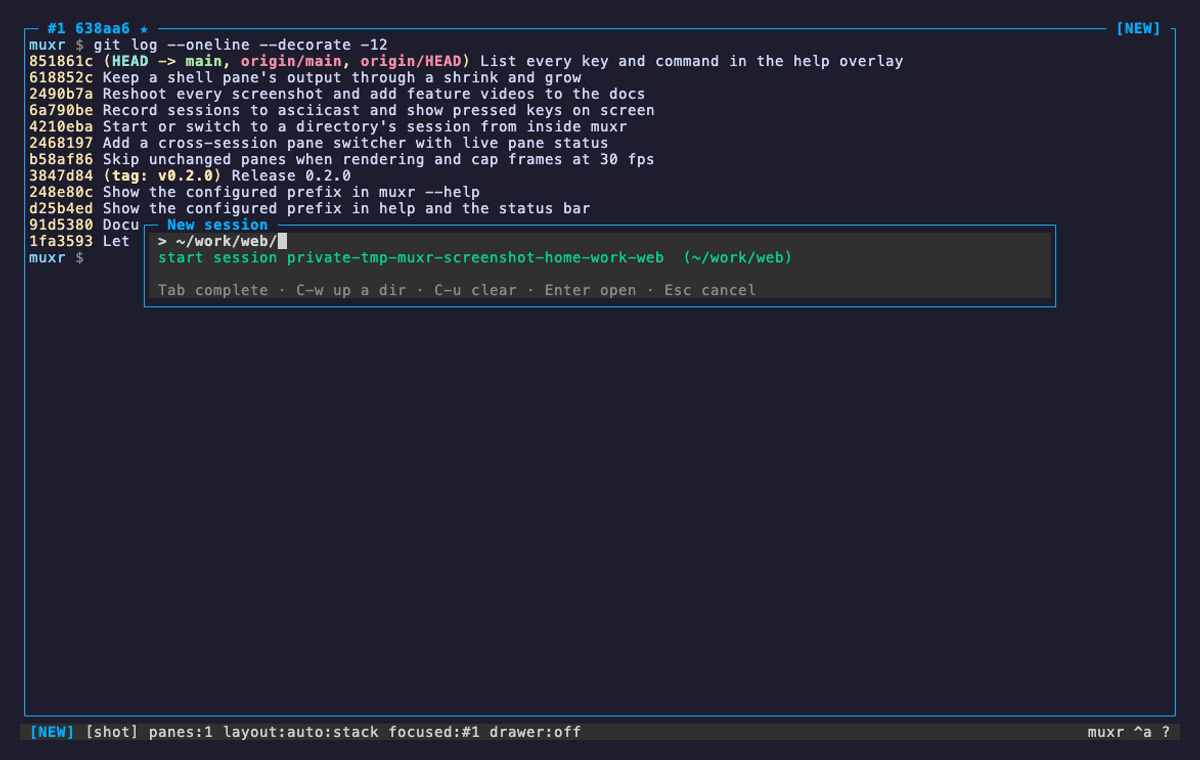
asks for a directory and takes you to its session, starting a server first if
nothing is running there.
opane switcher
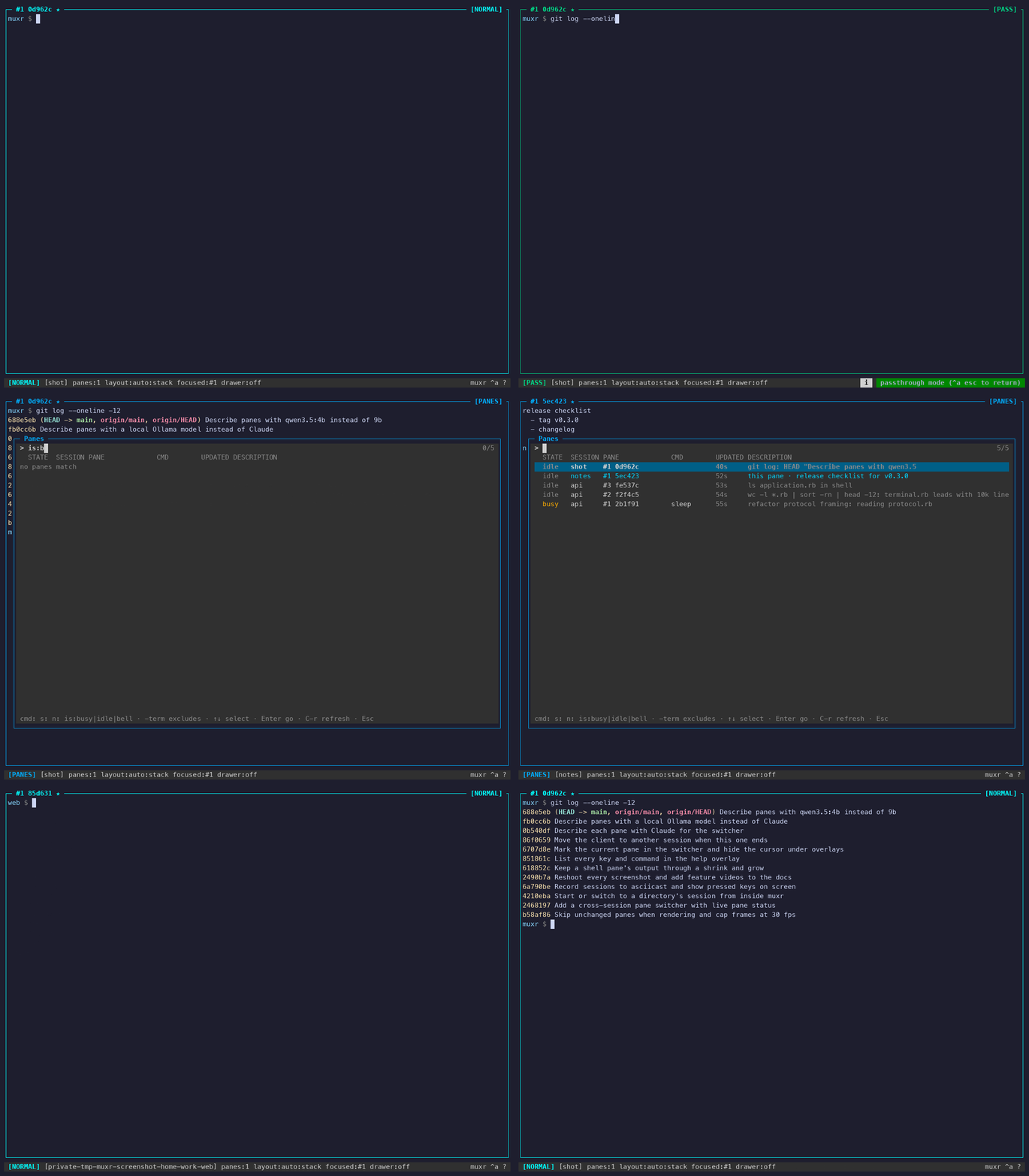
A busy Claude, a pane that sent a notification, and the rest — across three sessions.
Nnew session
Tab completes directories, and the line underneath says whether Enter starts a session or switches to a running one.
o / Nmoving between sessions
# the same list, from any shell$ muxr panes
$ muxr panes cmd:claude is:idle
$ muxr panes --json
$ muxr go work:2
# fuzzy-find a pane and go there$ muxr panes cmd:claude | fzf \
| awk '{print $1}' | xargs muxr go
A panes across sessions
Borrow a pane. Or take it with you.
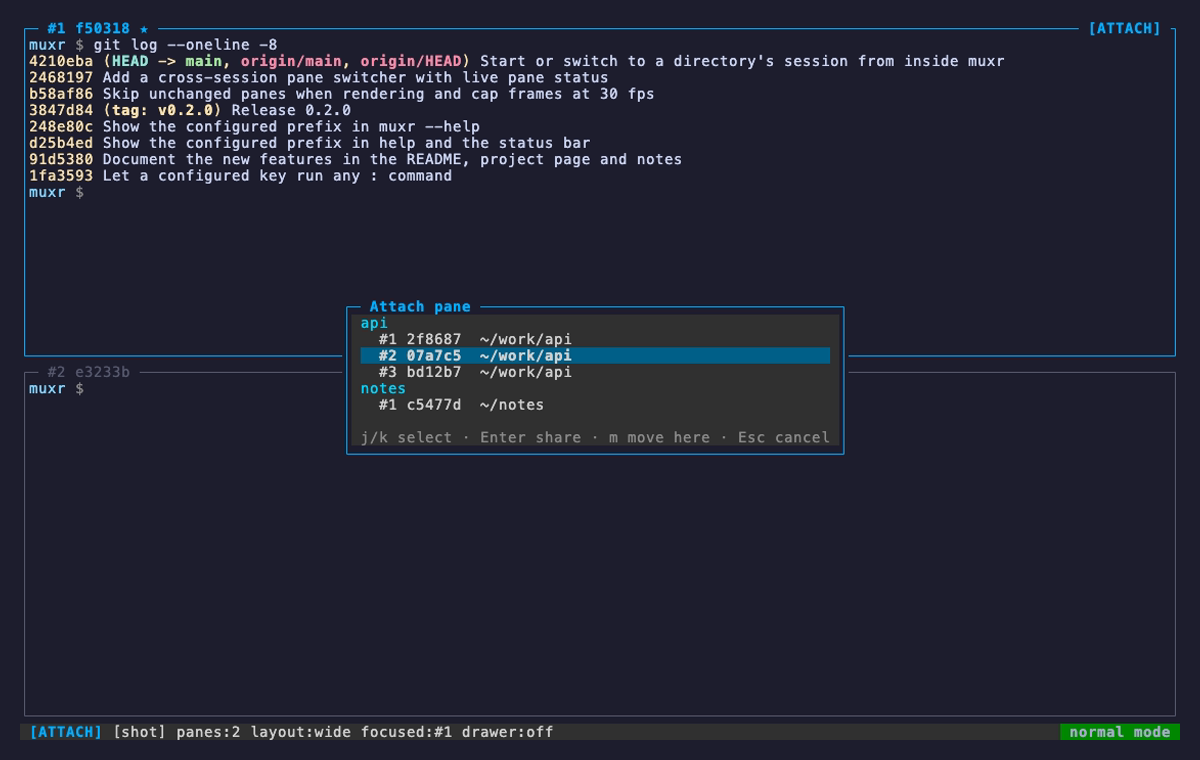
A lists every pane the other muxr servers on this machine are
offering, grouped by session. Entershares it;
mmoves it here for good.
Apane picker
Every live server on the box, asked in parallel over its control socket.
@apiborrowed pane
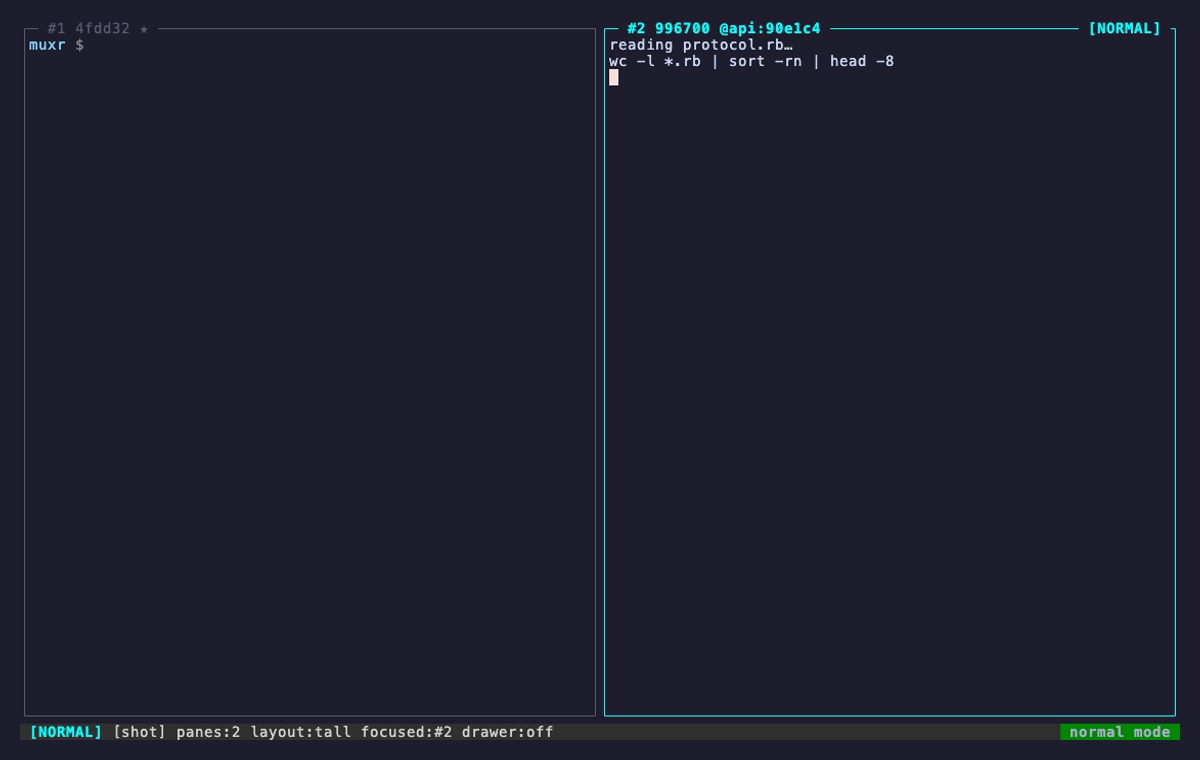
A borrowed pane names its owner in the title: @api:b338b0 — and keeps the owner's working directory.
A Enter / mshare, then move
Sharing keeps one reader
A shared pane keeps running where it lives; both sessions show the same live
shell and either can type into it. What crosses between servers is the raw
PTY byte stream, not a screen scrape — so colours, the alternate screen and
full-screen TUIs all mirror faithfully.
The PTY runs at the smallest viewport looking at it, so it fits both layouts at once.
Owner stops → the socket closes and the borrower drops the pane on its next tick.
Borrower stops → only the mirror goes away; the pane carries on at home.
Private panes are never offered, and borrowed panes are left out of :save.
Moving hands over the file descriptor
m is a real handover, not a re-spawn. The master pty file
descriptor itself crosses the socket over SCM_RIGHTS, so the
same shell process keeps running — environment, background jobs, scroll
position, everything on screen. Afterwards it's an ordinary local pane that
simply isn't in the other session any more.
# wire order is load-bearing
preamble → a refusal has no fd to sendfd→ recvmsg(SCM_RIGHTS), byte at a time
state → grid, scrollback, modes, pane idtwo-phase: nothing is torn down until the
receiver confirms a working pane. A failure
anywhere leaves the pane where it was.
built for agents
A second socket, for the other kind of user.
Alongside the TTY socket, every muxr server exposes a JSON-RPC control listener at
~/.muxr/sockets/<name>.ctrl.sock. It takes many concurrent clients
and is independent of TTY attach, so a coding agent and a human can drive the same
session at the same time — neither locks the other out.
muxr --install-skill installs the Claude Code skill and prints the
claude mcp add line for muxr-mcp, a standalone
MCP-over-stdio bridge. C opens a drawer running
claude with the session already wired into its environment: a
Quake-style agent overlay that knows which panes it is looking at.
pane.run
Sends input, then waits server-side for the PTY to go idle before
responding — no bytes for idle_ms (default 500). That kills the
send-then-poll race naive automation always loses.
named keys
Callers pass <esc>, <c-c>,
<cr> and arrows interleaved with literal text, instead of
remembering that Escape is "\e".
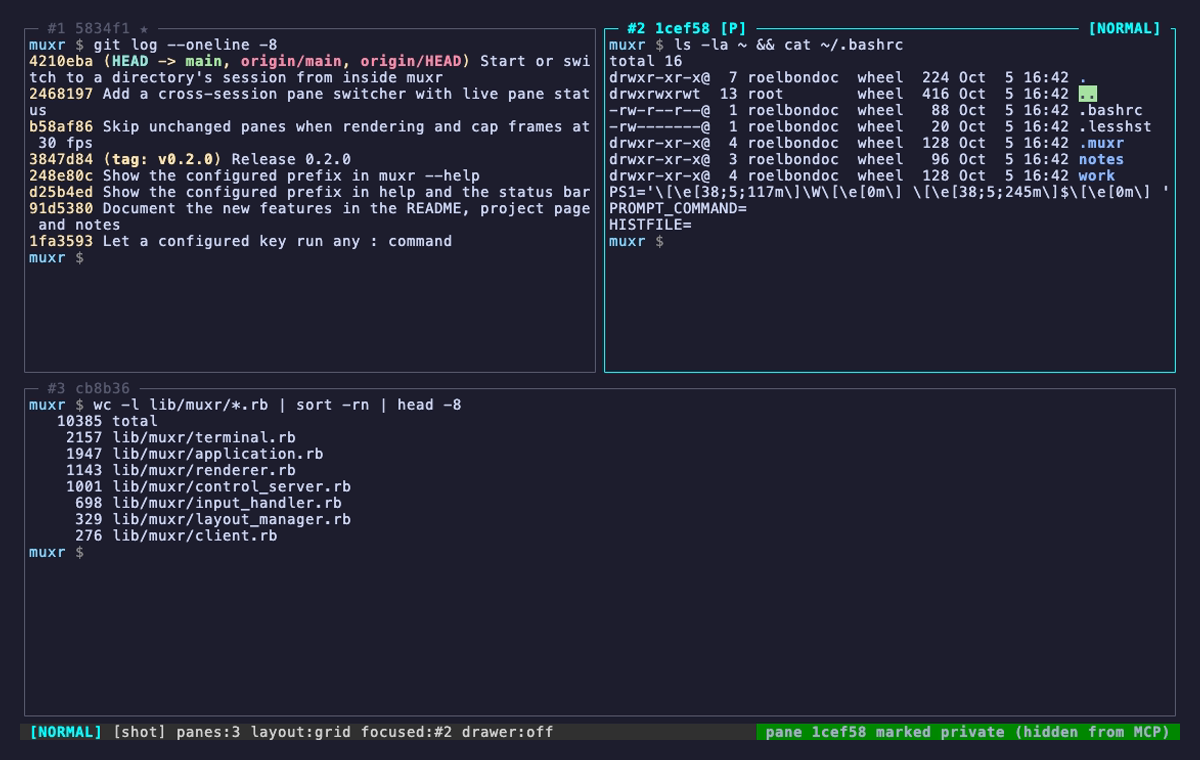
private panes
P marks a pane [P]: programmatic callers can't read it,
type into it, kill it, or see its working directory, and it's never offered to
another session. The control surface has no method to unset the flag —
only a human at the keyboard can.
Pprivate pane
~/.muxr/config.json
Your fingers, not ours.
One optional JSON file — parsed, never evaluated — sets the default layout, the
scrollback depth, the master shape and the point where auto flips to
spiral. It moves the prefix to Ctrl-b if tmux is in
your hands, and puts any action or any : command on any key.
:reload picks up an edit without restarting the session.
A key is one character, C-x, Tab, Enter, Space or Esc.
It maps to a built-in action (set_layout:grid, focus_direction:left), to a : command, or to null to unbind it.
A mistake is never fatal: the bad setting is skipped, the first problem is flashed when you attach, and all of them go to the session log.
"describe": false stops the local model from summarising panes for the switcher.
A restored session keeps its own layout, and MUXR_SCROLLBACK still wins over scrollback.
under the hood
One process holds the shells. The other holds the terminal.
Ctrl-a d closes the client and leaves every PTY alive in the server.
Reattach and you're back in the same shells with their full history, because the
session never left the server process. Killing it takes a y/n — there
is no kill-without-confirm binding, by design. When a session does end, the
client moves to another one nobody else is attached to instead of exiting.
Each pane runs a VT100/xterm emulator written for this project: a cell grid with
cursor, scroll region and pen, truecolor SGR with colon-subparameters, the
alternate screen, bracketed paste, and wide CJK/emoji cells stored with a
continuation-cell convention so grids still line up.
width probing
Terminals disagree about how wide ambiguous symbols and box-drawing glyphs
really are, and one disagreement shifts the rest of a line. muxr doesn't guess —
on attach the client prints test glyphs and reads the cursor column back over
DSR-CPR, then ships the measurement to the server. It's why border-heavy TUIs
stay aligned.
diff rendering
The renderer compares each composed frame against the last and emits only the
cells that changed, so a busy pane costs a handful of bytes per tick. An
unchanged pane isn't even copied, and frames are capped at 30 a second. Detached,
rendering is skipped entirely while PTY data is still drained — the grids stay
current for the next attach.
passthrough
Bells and OSC 9 / 777 notifications are forwarded out of band from
any pane. An OSC 52 clipboard write reaches pbcopy for real.
URLs that wrap across rows are re-stamped with matching OSC 8 ids so they stay
one clickable link.
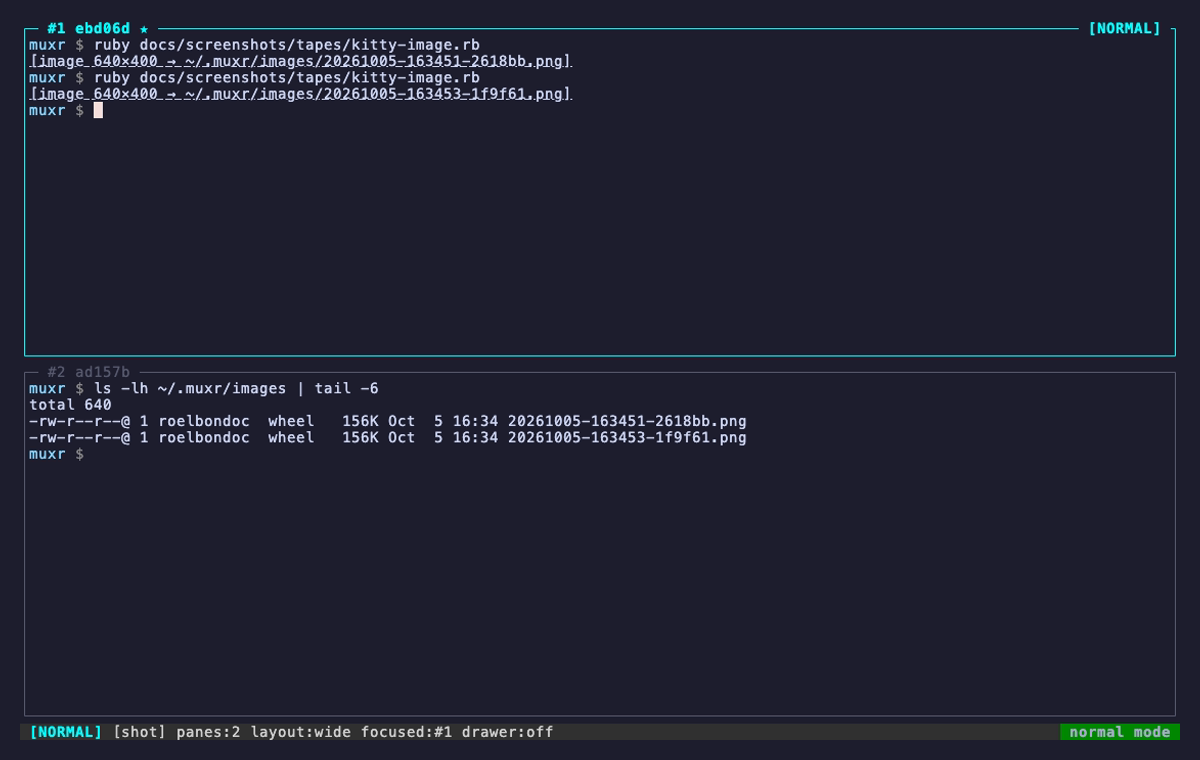
images
A grid has nowhere to put pixels, so kitty-protocol graphics are decoded to
~/.muxr/images and announced as one clickable file://
line. Multi-chunk transfers are reassembled and raw RGBA is re-encoded into a
real PNG.
kitty graphicssaved, not drawn
The honest rendering: [image 640×400 → ~/.muxr/images/….png], Cmd-clickable.
--record recording
It records itself.
muxr --record demo.cast attaches as usual and writes everything
your terminal shows to an asciicast file, with timing and resizes, until you
detach. The recording follows the client, so jumping to another session with
o or N stays in the same file. Play it with
asciinema, embed it on a page, or turn it into a GIF with agg.
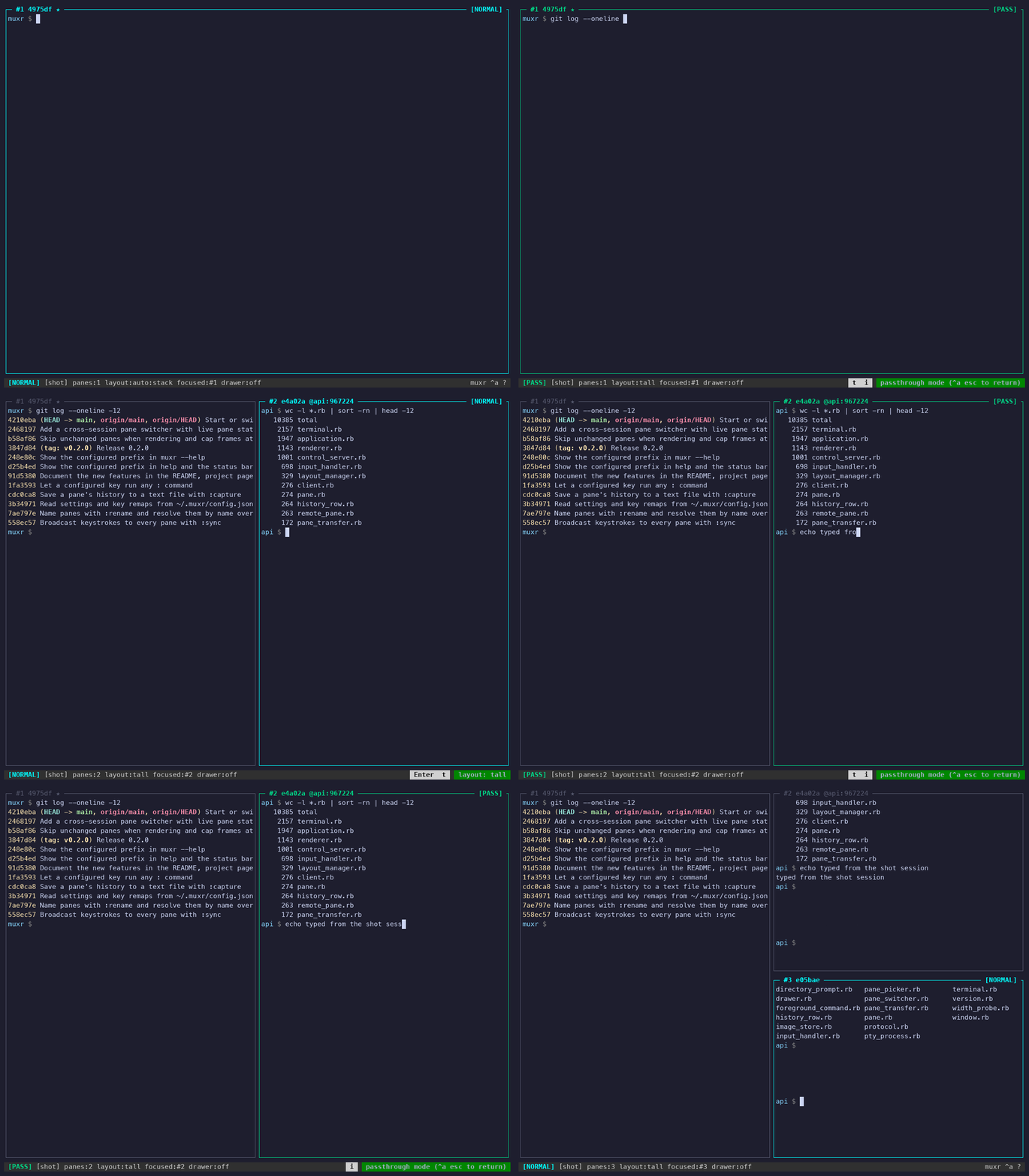
A keyboard-driven tool is hard to follow on video, so :showkeys
puts the keys you press in the status bar: the multiplexer keys and the prefix
chords, but not the text you type into a shell, which is already on screen.
Every video on this page was made this way, from tapes in the repository.
$ muxr --record demo.cast work
… C-a d to stop$ asciinema play demo.cast
$ agg demo.cast demo.gif
# ~/.muxr/config.json
{ "show_keys": true }
Ten layouts. Zero dependencies.
Ruby ≥ 3.4 and nothing else. The first muxr in a directory starts a
server named after it; every one after that attaches.